People can convey their message on a platform provided via presentations. In 2024, presentations are being used extensively to educate, inform, sell, or convince independent contractors, organizations of all sizes, educators, entrepreneurs, and students. A clear message and call to action will captivate an audience in an effective presentation. Many organizations use presentation software to make eye-catching decks more quickly and effectively.
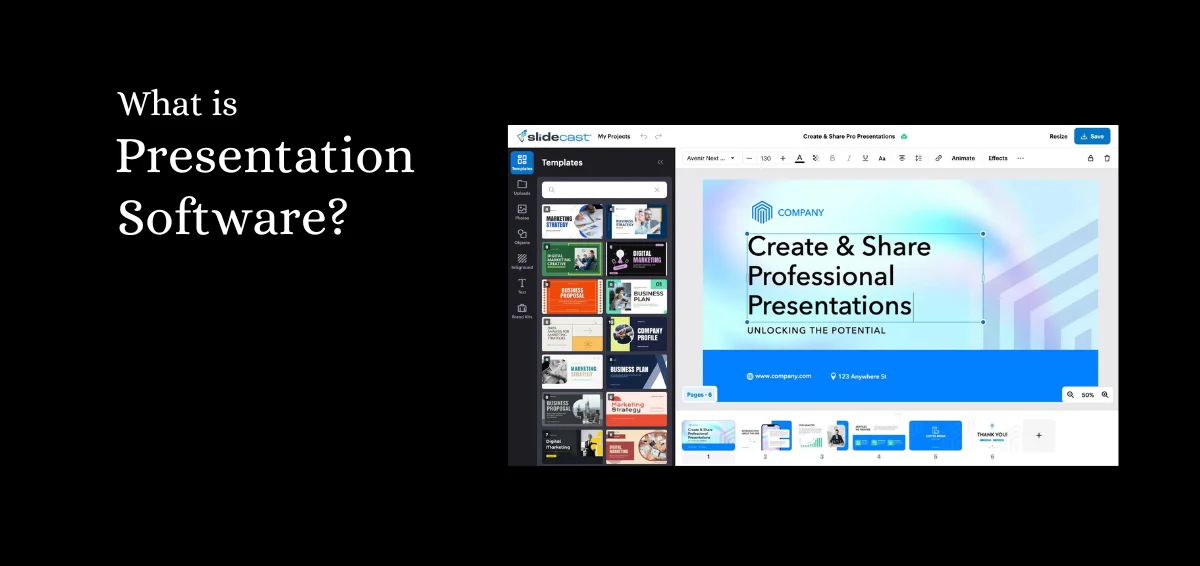
What is Presentation Software?
A type of computer application software called presentation software is made to assist users in creating digital presentations, or slide shows, that communicate information more interestingly. A wide range of tools and functions are included in most presentation software packages for the creation and modification of digital slides that may contain text, photos, audio, video, charts, graphs, and other multimedia components. A few essential features of presentation software are the ability to create and arrange slides, format and customize the design, integrate multimedia, add animations and transitions, collaborate with others, and share content.
In the fields of marketing, education, and business, presentation software is a widely used tool to communicate policies, concepts, and objectives to the workforce. Visual learners can also benefit from the use of presentation software to share knowledge and better understand complicated subjects.
Types of Presentation Software
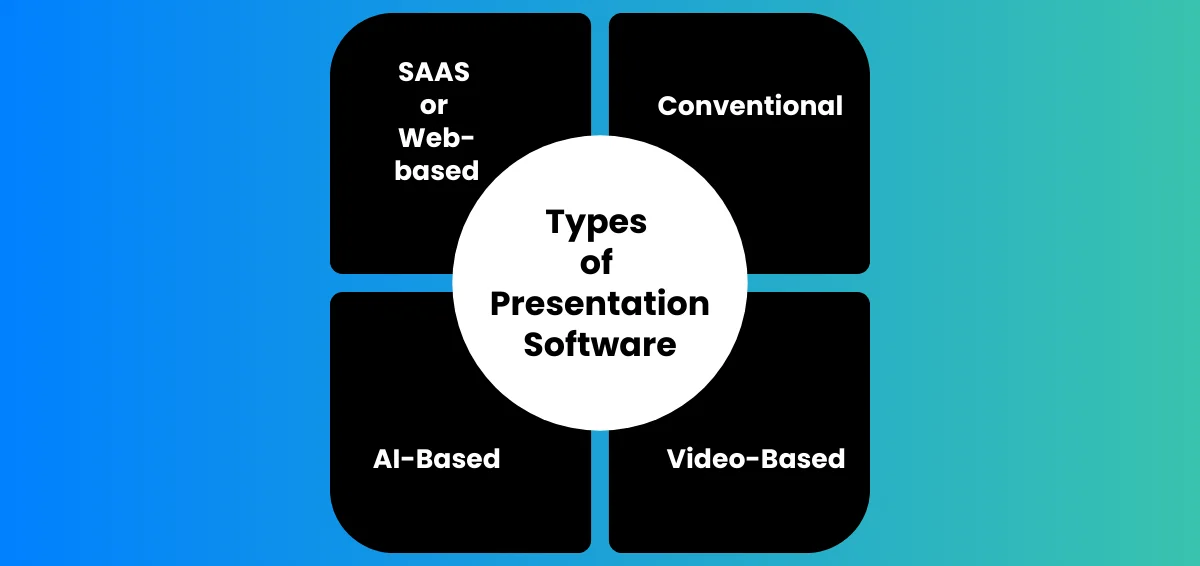
Conventinal
The term “traditional software” describes computer programs or applications that are often employed for creating and delivering visual displays. Users may make slideshows using text, photos, charts, graphs, and other visual aids using these tools.
SAAS or Web-Based
Presentation software that can be accessible through a web browser without the need to install it on a user’s device is referred to as web-based or SaaS (Software as a Service) software. These apps are accessible from any internet-connected device and are hosted on the cloud.
AI-Based
Presentation software that leverages artificial intelligence (AI) technology to assist users in creating and designing presentations is known as AI presentation software. To expedite the presentation preparation process, AI presentation software often incorporates capabilities like automatic design ideas, layout recommendations, and picture recognition.
Video-Based
This is the kind of software that lets users make and present video presentations. Videos, pictures, text, and audio can all be combined in these presentations. Features like editing tools, visual effects, and transitions are often included in video presentation software to assist users in producing captivating and polished presentations.
Key Features of Good Presentation Software
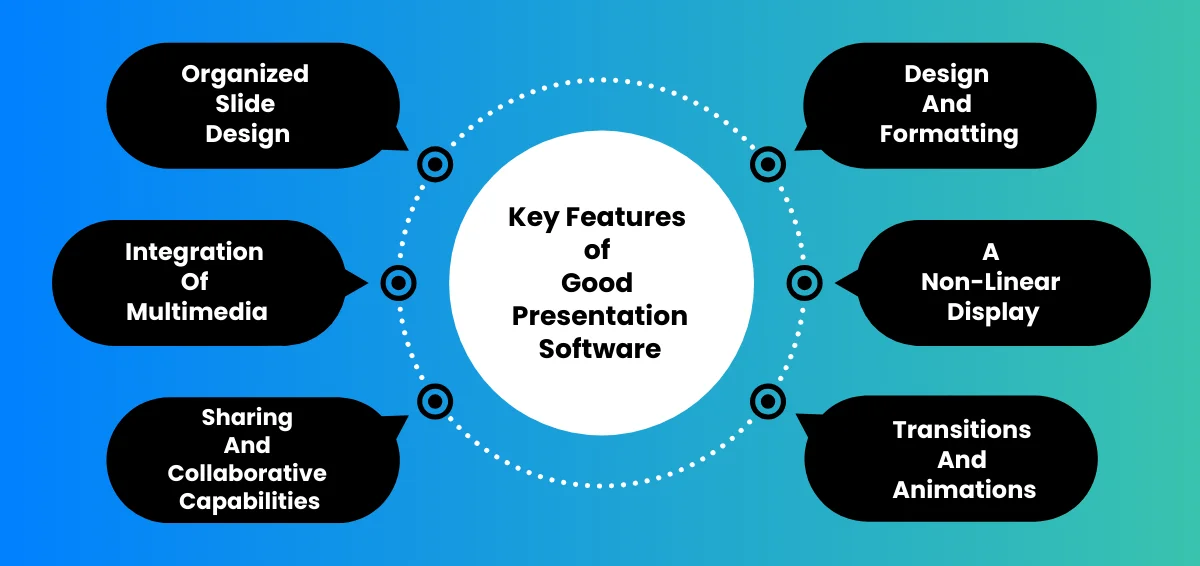
These are the main attributes and capabilities you should know about presentation software.
Organized Slide Design
Of course, the most important feature of presentation software is the ability to create slides. Regardless of whether you’re working from scratch or utilizing a pre-made presentation or slide design, presentation software helps you organize your ideas logically. In addition, it serves as a repository for both new and old presentations, making it simple to save and locate what you need at the appropriate time.
Design And Formatting
Selecting the best way to format your material without ruining the design is one of the most difficult tasks in creating a presentation. A lot of presentation software will take care of it for you by providing intelligent suggestions, drag-and-drop templates, and design guidelines. Even non-designers can produce something polished and consistent with their brand with formatting and design options.
Integration Of Multimedia
An audience is far more likely to become disinterested in a presentation that lacks visual aids. Presentation software may integrate multimedia, including animations, movies, symbols, and photos. You may add your multimedia files to your deck with any presentation software, but only a few of them come with a free stock library.
A Non-Linear Display
Instead of going from one slide to the next in a linear method, a nonlinear presentation allows the audience to traverse the material in a non-sequential sequence. A nonlinear presentation arranges its information using hyperlinks and other interactive features so the audience can quickly navigate between sections based on their needs and interests.
Sharing And Collaborative Capabilities
Increasing the efficiency of the design process is the main objective of presentation software, and working with your team is essential to achieving this. Teams will be able to collaborate on the same deck, under one roof, thanks to more recent presentation tools, particularly web-based or SaaS presentations. Similar to this, sharing on the same online platforms is more flexible when using shared links or embed codes.
Transitions And Animations
Humans have an attention span of eight seconds on average, therefore having an interesting deck is essential to any presentation. Using animations and transitions in your presentation software helps you keep your audience’s attention. A lot of systems provide options that let you customize how quickly and smoothly your material advances to the next slide.
Benefits of Using Presentation Software
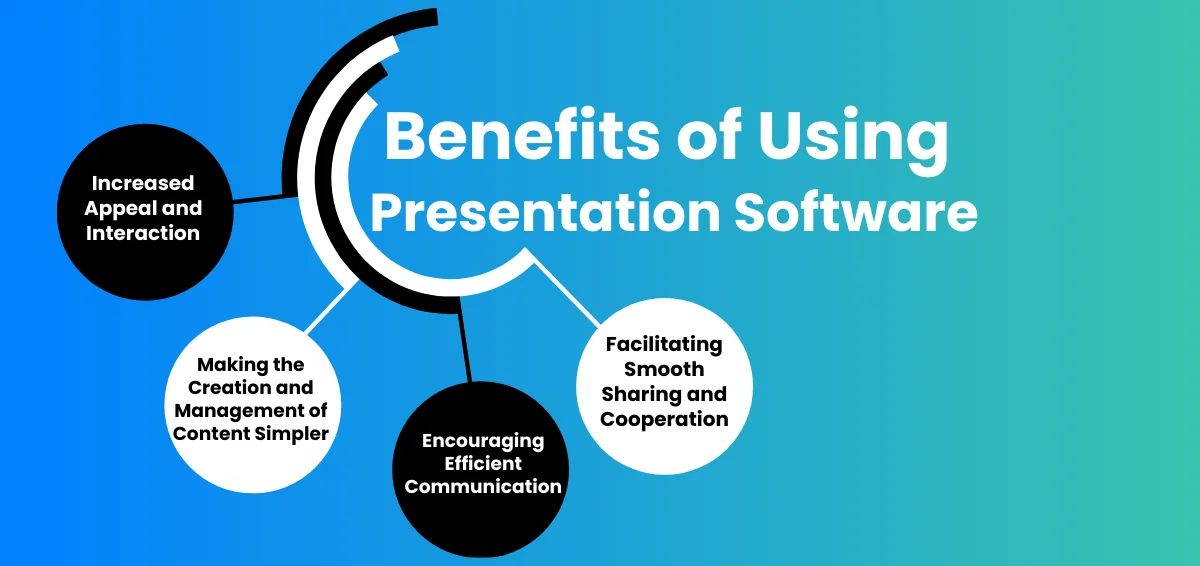
Increased Appeal and Interaction
Teams may preserve branding by having more control over the deck design using presentation software like Slidecast. You can ensure uniformity from deck to deck across all departments by utilizing the same presentation design software every time.
Making the creation and Management of Content Simpler
The goal of presentation software, like any productivity tool, is to streamline tasks. It’s known as “rinse and repeat.” Colors, typefaces, logos, and even branded slides can all be automated and recycled by utilizing the same platform for every team deck or business deck. Conversely, if you create each deck on the same platform, it serves as a library for all of your presentations, which facilitates content organization and discovery.
Encouraging Efficient Communication
Effective communication is essential to any successful firm, thus having this skill during the presentation design process is crucial. Communication and teamwork are more effective and smooth when everyone is using the same presenting program. For example, teams may submit comments and give real-time feedback to assist remove any bottlenecks.
Facilitating Smooth Sharing and Cooperation
Teams can concurrently make adjustments or additions to the same deck when using cloud-based presentation software. The days of exchanging many drafts of the same deck over long email threads are long gone. Using presentation software, you may invite stakeholders or outside partners to contribute and share the most recent version on their platforms.
AI in Presentation Software
Presentation software using artificial intelligence
With more sophisticated features and user-friendly options for editing, sharing, and collaboration, presentation software packages have developed over time. Conversational AI engines are another feature of sophisticated apps that let users rapidly and automatically create new presentations.
The AI engine may utilize a user’s description and requirements to generate the initial draft of the presentation, depending on the software’s capabilities. Certain AI-driven presentation solutions come with intelligent templates that may instantly modify the automatically generated content to suit the narrative of the user or company. A designer bot that creates original graphics based on design inputs in natural language from a (human) user may also be included in the application.
How to Choose the Right Presentation Software?
The majority of people tend to use the presentation software that comes pre-installed on their work computer. For all of you PC users, PowerPoint will be used for that. And Keynote, for those of you using Macs? Humans tend to prefer the familiar, and thus find change challenging.
But what if you missed a trick? What if there were other kinds of presentation software available, each with its own set of features and tools? What if each one might alter the impression that your audience has of your presentation?
In simple terms, the entire idea of presentations is to make it intriguing and yet simple to understand.
The options are increasing, but the decision you choose can have a significant impact on the caliber and impact of your presentation.
We’ve thoroughly examined practically all of the available presentation software so that you can choose the ones that are more apt for your requirements. Here’s our advice.
For those of you who don’t understand how to choose the right presentation, let’s start with our Presentation Building 101. Brand consistency, a clear and succinct message, understanding what to include in the speaker notes and what to leave out of the slides, strong supporting images, visual assets to assist your narrative, and some fantastic design and animation are all essential components of a great presentation.
Which presentation software, though, will let you provide your audience with the greatest possible experience? You must first consider the experience you wish to create. Should you project a sense of playfulness and originality or sophistication and professionalism? Is a strong narrative or vivid graphics and innovative animation more appealing to your audience? or perhaps a little of both? Selecting the piece of software that will enable you to surpass your audience’s expectations should only be done after you have established what they are expecting from your presentation.
Hire a presentation editor if you intend to create a long presentation with plenty of elements. Check whether you can upload photos, movies, and music with ease using the application. Ensure that the application is user-friendly, particularly for those who lack technical expertise. To save time and add personality to your presentations, look for choices for customization and templates.
Think about the requirements you have; if you want to collaborate with others, select applications that offer strong collaboration tools.
By keeping these things in mind, you may select presentation software that meets your goals and helps you make powerful presentations.
Popular Presentation Software Programs
1. Slidecast

No prior design experience is necessary to create, distribute, and manage stunning presentations with Slidecast. Utilize Slidecast’s presentation software to produce dynamic content, open up new sharing options for your presentations, and monitor performance with the help of sophisticated presentation analytics to provide the best outcomes.
2. Microsoft PowerPoint

The original application for slideshow presentations is this one. It is the go-to presentation software for many due to its intuitive and comfortable interface. It provides several distinctive layouts and capabilities for inserting multimedia images. PowerPoint is part of the Microsoft Office Suite, which is available for free on most Microsoft devices and includes the desktop version.
3. Canva

There are several template possibilities available in this application. Most are free, however, some need in-app payments. Canva’s editing interface makes it simple for users to access pre-made animations. A collection of ready-to-use audio and video assets is also included for users to use in their presentations. With Canva Live, viewers may be invited to the presentation and allowed to ask questions on the subject matter.
4. Beautiful.AI

Artificial intelligence is used in this application to assist in the layout creation of the presentation. The way this editor adjusts to user selections inside the program sets it apart from other presentation tools. Users may choose a balance between automation and personalization using Beautiful.ai.
5. Apple Keynote

Keynote is an artistic tool for creating visually appealing presentations. Because it’s installed for free on Apple gadgets under Apple iWork, it’s an excellent choice for Apple consumers. This program is easy to use and provides a variety of template layouts. It also has attractive, simple interfaces that are easy to use.
Tips for Using Presentation Software Effectively
You now understand what presentation software is, but how can you leverage it to grow your business? Remember these pointers when you give your next presentation.
1. Organizing and Arranging Your Presentation
Delivering a coherent and well-organized message requires careful planning and presenting structure. Before even opening a presentation program, you should consider the structure you want to use for your tale.
When organizing your presentation anatomy, keep these six points in mind:
- The viewers
- Main idea
- Distinct goals
- A single, important point in each slide
- The structure and flow
- A compelling appeal for viewers to take action
2. Making Use of Visual Components and Design Concepts
You should make use of the design concepts that presentation software has included to lessen the workload associated with creating decks. Using a premade template gives you the freedom to alter it as you see fit and encourages you to come up with fresh ideas for presenting structure. Less is usually more when it comes to presentations. Maintaining the branding of your business while creating a clean, polished look is important.
3. Making Effective and Succinct Slides
In a bid to prevent Frankendeck scenarios, many modern presentation platforms—Plastics excluded—will restrict the amount of content you can add to each slide. Making simple, compelling presentations is more effective than making crowded ones. To ensure that your audience understands exactly what you want them to focus on, make sure that each slide has a single, important topic.
4. Making Sensible Use of Multimedia
There are a thousand words in a picture. Selecting your visual aids carefully is important since your audience is more likely to recall the multimedia in your presentation than any number or bullet point. Always make sure they are on-brand, relevant, and of the highest caliber. The multimedia is used to support your narrative and emphasize key points.
5. Practicing and Practicing
Not only is deck design and presentation software crucial, but so is your delivery. Don’t waste time creating the ideal presentation deck just to have it look terrible during delivery. Practice, practice, and practice more. And even when you believe you’ve rehearsed enough, go through the entire dry run again. This enables you to test the timing of any videos or animations in the deck, the presentation software, and the technology needed for the conference or meeting.
Final Thoughts
When choosing the presentation software that best meets your demands, you should take into account elements like your audience, purpose, content, style, and budget. Before your presentation, you should also become acquainted with the software and practice using it as many times as possible.