
Scaling a business requires scalable sales and marketing strategies. This article will explore effective sales and marketing strategies for Scaling your sales process of qualified leads.
Methodology
When planning to scale your business, how do you avoid the trap of just randomly chasing new sales and marketing strategies at random?
Limiting factor analysis is a powerful framework for diagnosing the pitfalls in your current sales process and identifying the highest yield areas of input.
The simplest way to understand this methodology is to visualize some widget’s simple linear manufacturing line. A series of linear steps must happen, likely in a particular order, to reach the finished product. Let’s say there are five steps, and each step can finish one widget per hour. You hire double the people for the final step in the process. How much does the speed up your production? Unintuitive answer: none whatsoever, because step four is still only going to provide step five with one widget per hour to work on, meeting the extra staff would just be waiting around with nothing to do.
Instead of a widget on a production line, you have a prospect going through however many steps in your sales and marketing pipeline. Analyzing the pipeline for bottlenecks and speeds relative to one another will show you where to invest for growth so that your investment doesn’t go to waste in unused capacity due to the bottleneck.
No more using the approach of: wow, cool, that sounds like an interesting idea I heard on this podcast. Seems like it could work; maybe let’s give it a shot.
Instead, using the approach of: what’s the biggest bottleneck in the sales and marketing pipeline right now? Is there some area that would hold back our progress even if we double our input in other areas (such as ad spend, number of sales staff, number of leads)
Tools and Tactics
Email Outreach Tools
64% of small businesses use email marketing to reach customers. At the end of the day, few sales and marketing strategies can beat a well-executed email outreach lead gen campaign.
While it’s possible to scale the sales process by hiring more and more contractors to prospect for you…a much better approach is first to see how much you can scale simply by implementing tools that enable a much smaller team to scale email outreach campaigns quickly.
Some great tools for this:
- Mailshake
- Woodpecker
- Findthatlead
- Snovio
- Lemlist
(It’s important to note that these are different than email newsletter type of tools, like MailChimp – although some platforms do both)
Instead of hiring a bunch of people to do outreach to hundreds of prospects a day manually…you can run hundreds of campaigns to thousands or even tens of thousands of prospects with a much smaller lead gen staff.
Automation Tools
Important note: it’s important to remember that some of these tools can break certain platforms’ TOS (terms of service) when used in particular ways. Use these tools cautiously for this reason, and ideally, Research whether the tool you’re interested in breaks the TOS of the platform you want to use it on.
Similar to automating much of your email outreach to enable you to scale more with less, two other popular categories of automation tools are tools like Zapier and Phantombuster.
Zapier automation tools
This refers to the types of tools that let you connect different apps and create customized automated workflows between them. The clear category leader here is Zapier.
You can use Zapier to do an almost infinite variety of things, such as:
- Automatically add Facebook leads to a spreadsheet
- Send an automatic email follow-up in 10 days to people whose first name starts with the letter “G.”
- Add info for newly scheduled calls to your calendar
- Add your Twitter DMs as leads in your CRM
- Send a thank you message to everyone who follows you on Instagram
- Automatically let your project manager know when a client emails your customer support desk
(this shortlist is to give you an idea but is 0.001% of what it can do)
Slidecast also has a Zapier integration, letting you sync your data and automate workflows between Slidecast and your CRM and other tools you use.
Phantombuster Automation Tools
Tools like Phantombuster, by contrast, actually run little specific automation scripts (that come pre-loaded, or you can create). There are also several alternatives for this category beyond Phantombuster that are also solid.
While these tools are also extremely versatile, here are some examples of how you can use them:
- Automatically send LinkedIn connection requests with a list of customers downloaded from your CRM
- Generate a list of prospects based on people who follow your competitor on Instagram
- Follow/unfollow a list of Twitter profiles
- Scrape a list of Quora posts in certain categories
- Export all Google Maps info that matches certain search criteria
Slidecast to Scale Your Presentations
Streamlining your processes for generating sales leads is crucial. Additionally, optimizing your sales presentation processes is equally important. You don’t just need qualified leads. You also need an efficient and reliable method for creating and delivering great sales pitch presentations!
Many businesses still use PowerPoint delivered over a Zoom call for their presentations. This type of setup is often a limiting factor in the scalability of your sales process, with some stats showing that the majority of people creating presentations take over 8 hours to create one presentation. Not to mention scheduling and rescheduling Zoom calls, troubleshooting the lead not showing up on Zoom, or them not being able to see the presentation…the list goes on and on.
Start Using Slidecast
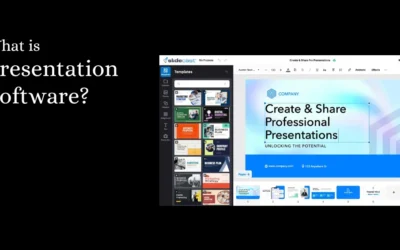
Start using Slidecast to create and deliver your presentations in a fraction of the time by doing things like…
- Create new presentations in a fraction of the time using our intuitive drag-and-drop editor or our native integration with Canva’s design tools.
- Instantly deliver a presentation in several different formats directly to their email or phone, which they can open through a single click on the link.
- Create self-guided presentations that prospects can go through independently as they listen to pre-recorded audio clips corresponding with the presentation slides.
- Use our CRM integrations to save hours on data entry into your CRM, or use our Zapier integration to create custom automated workflows.
At some point, most businesses will find plenty of prospects, and the limiting factor is how many sales calls and pipeline deals you can handle. Sometimes, it’s easier to 2x your sales presentations by switching from PowerPoint/Zoom to Slidecast than it is to 2x the qualified leads going into your pipeline.
When looking to scale, identify and implement the highest-yield strategies first.
Ensure you’ve gone to www.slidecast.com to create your free Slidecast account and immediately start streamlining your sales presentation process.